
Set Up Round Robin Ticket Assignment
Here is our approach for setting up round robin ticket assignment in Zoho Desk in a simple way.
Even a non-technical person can easily set it up in just a few steps.

Approach
We can set up round robin ticket assignment using Assignment Rules in Zoho Desk.
1. Creating a Round Robin Assignment Rule
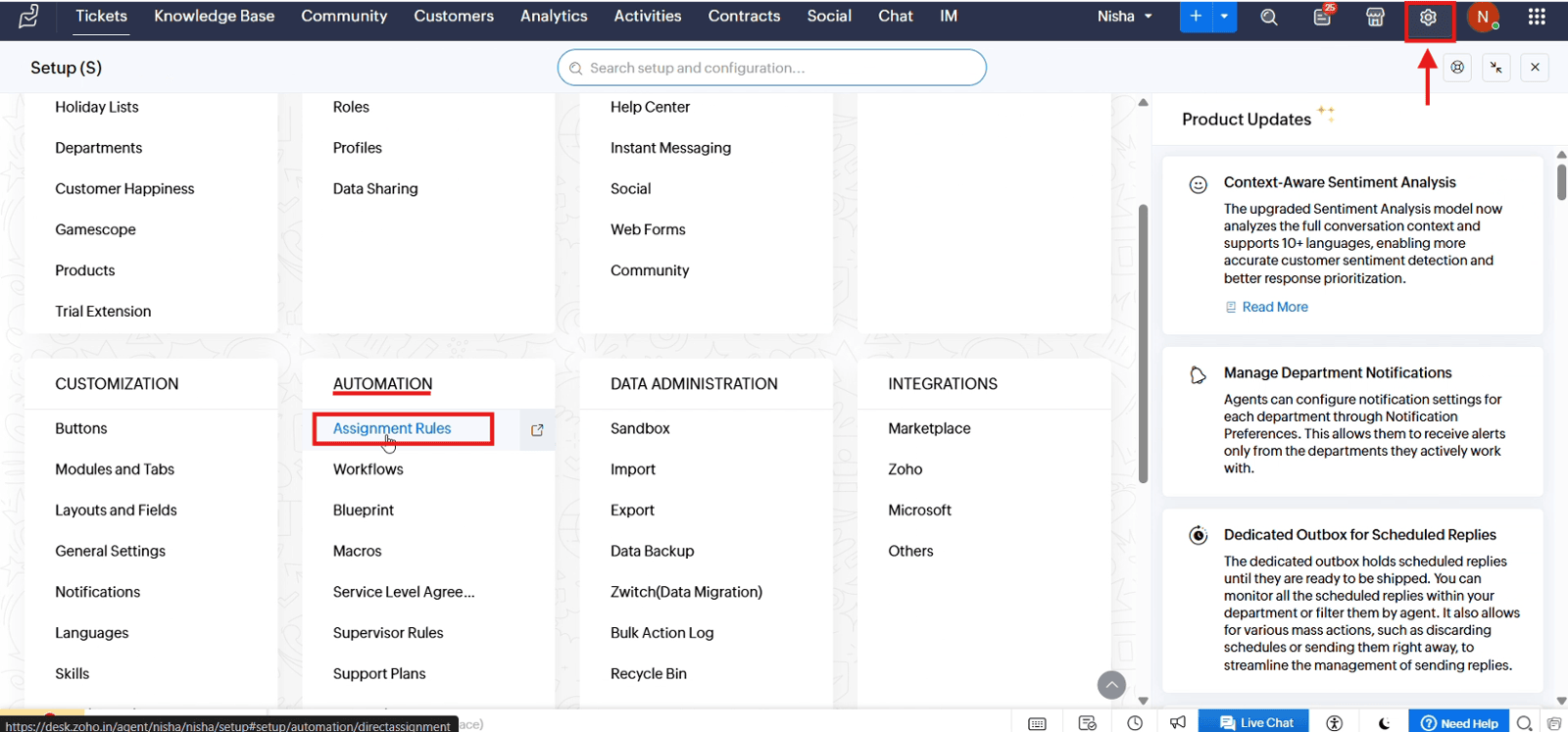
1.1 Open "Setup", navigate to "Automation" and select "Assignment Rules"
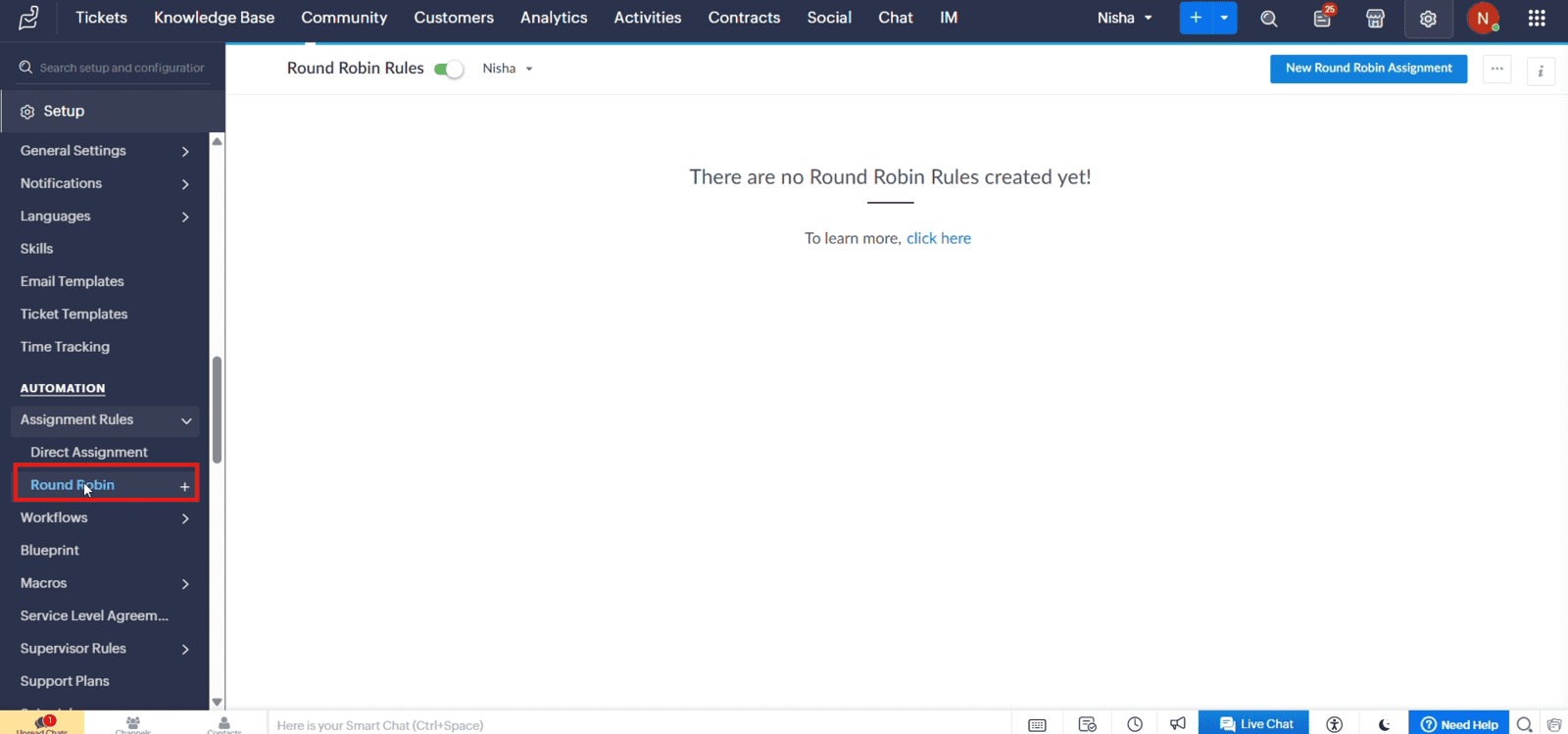
1.2 Click Round Robin + icon to create a new rule
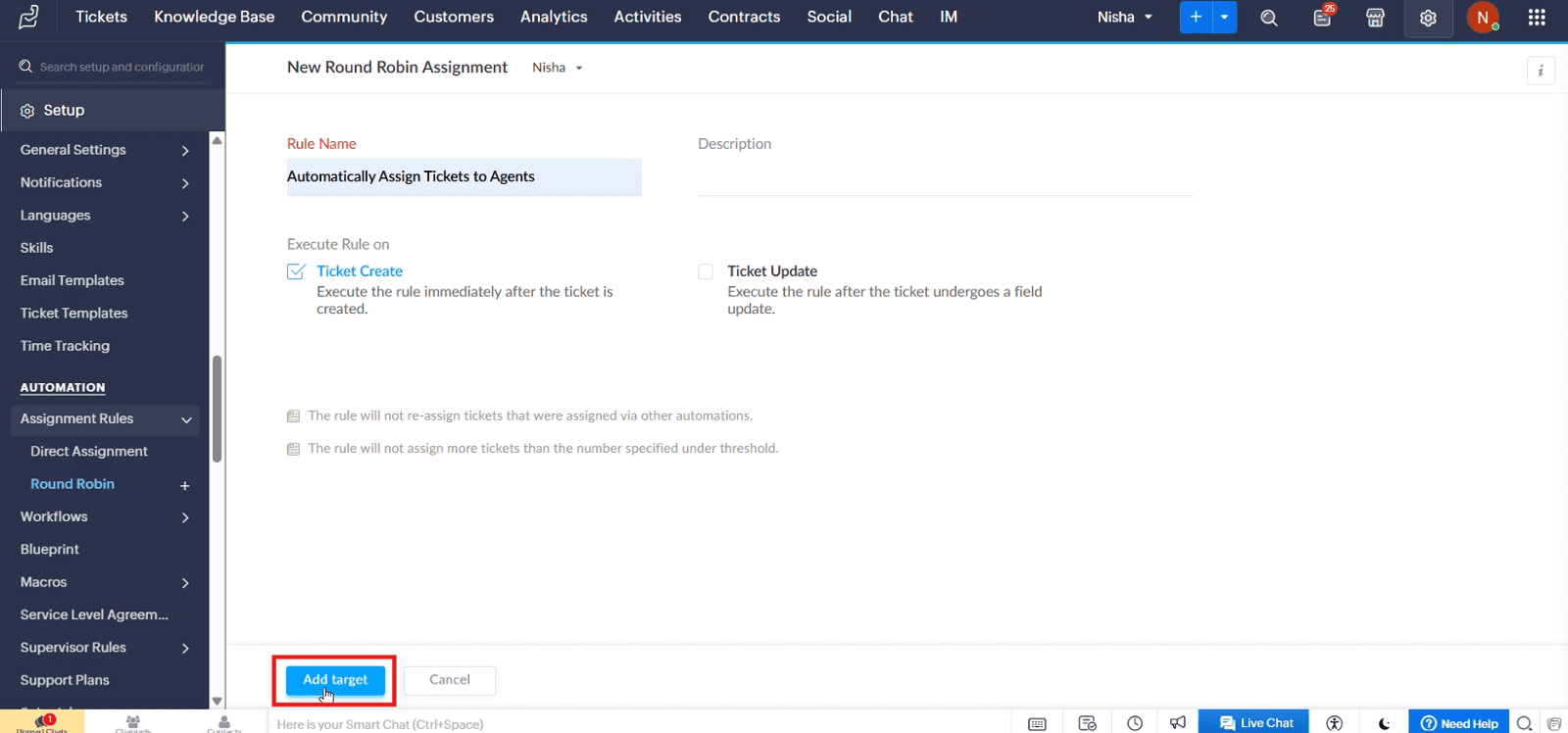
1.3 Enter the rule name and description, if required. Select "Ticket Create" as the execution trigger and then click "Add Target".
2. Configuring Round Robin Assignment
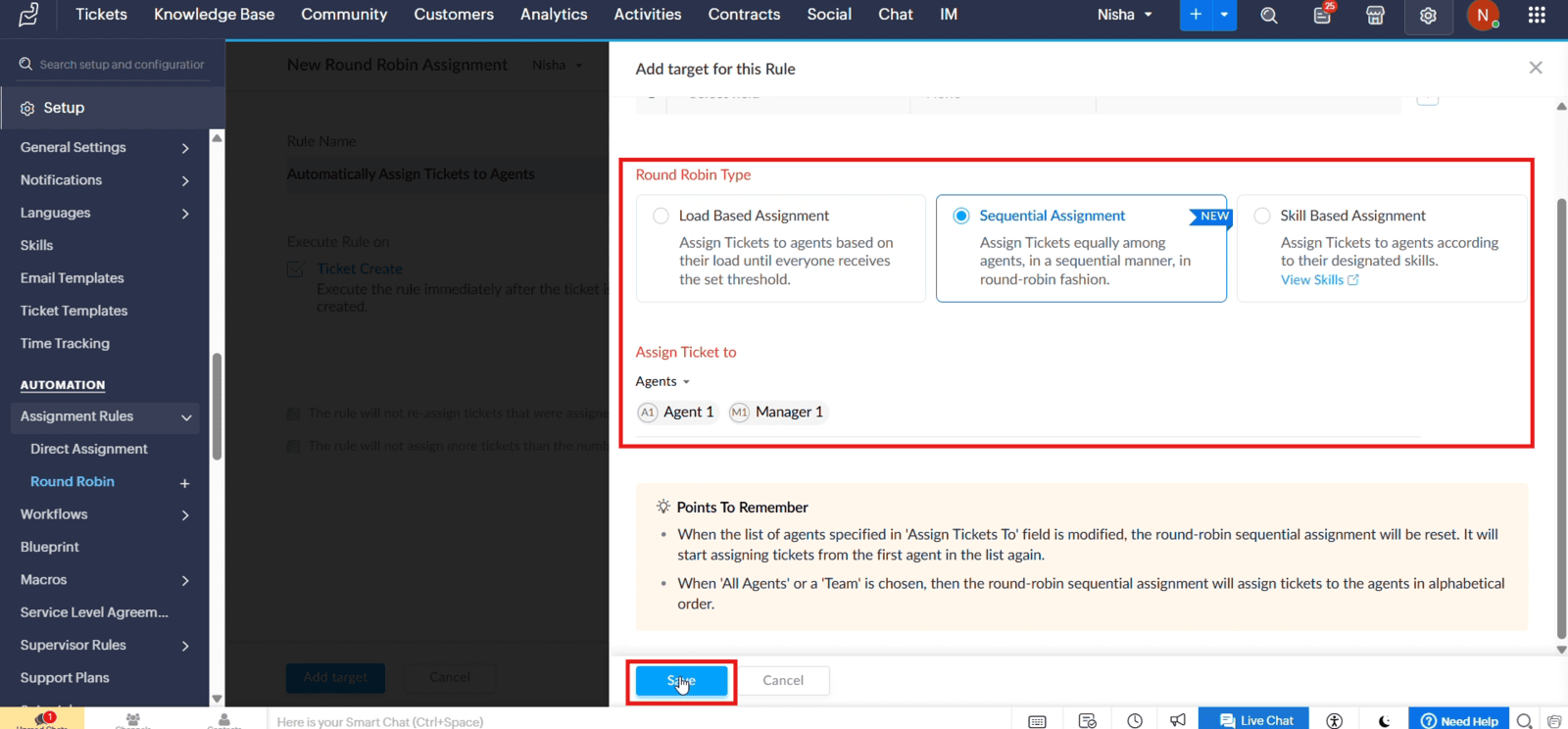
2.1 Select "Sequential Assignment", choose the agents, and click "Save"
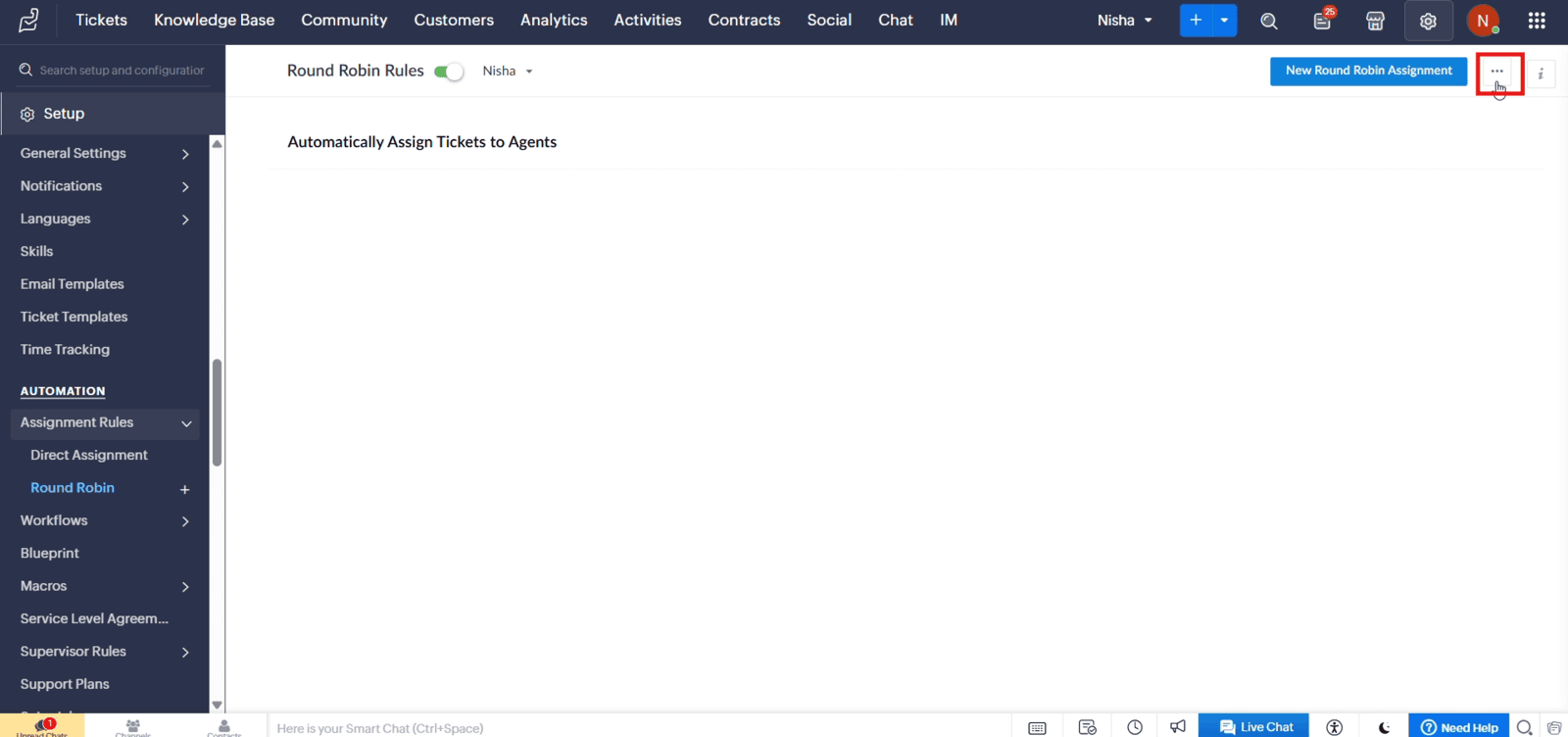
2.2 Click the three-dot menu and open "Round Robin Preferences"
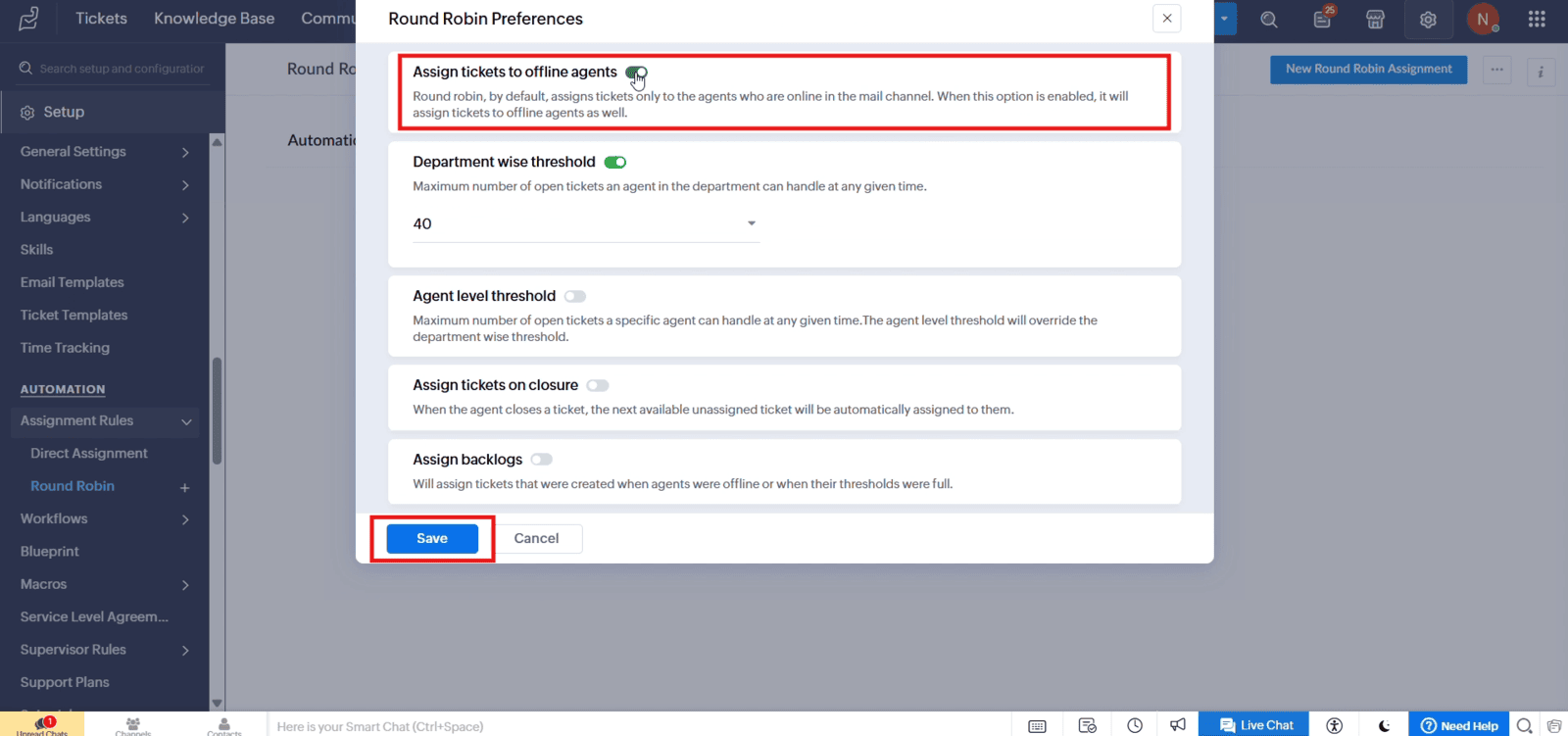
2.3 Set the required preferences and click "Save"
Video: Set Up Round Robin Ticket Assignment in Zoho Desk
Here is the video explanation of the above steps.


